Know what’s been done, what’s overdue, and what’s next
Maintenance management software that gives you full visibility into work orders, equipment history, approvals, and real-time progress without sticky notes, lost emails, or hallway conversations.
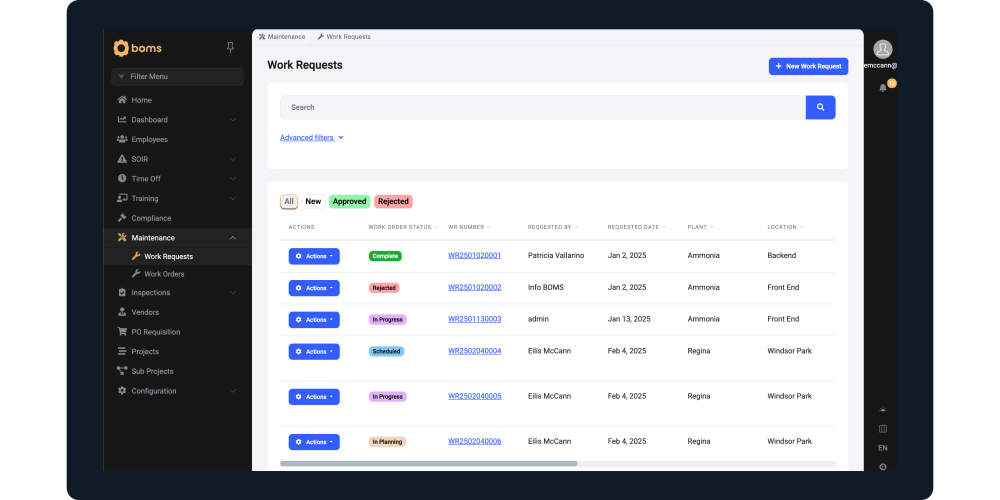
The Real Challenge with Maintenance
Most organizations don’t struggle with doing maintenance, they struggle with organizing it.
- Work requests get sent through emails.
- Tasks get written on whiteboards.
-
Updates happen in passing conversations.
There’s no single place to see what’s been submitted, who approved it, what’s in progress, or what’s overdue.
That lack of visibility creates delays, missed repairs, duplicated work, and zero clarity.
No Centralized View
Work orders live in inboxes, notebooks, or spreadsheets.
No Approval Control
Requests get started without clear prioritization.
No Real-Time Status
Leadership has to ask around to know what’s happening.
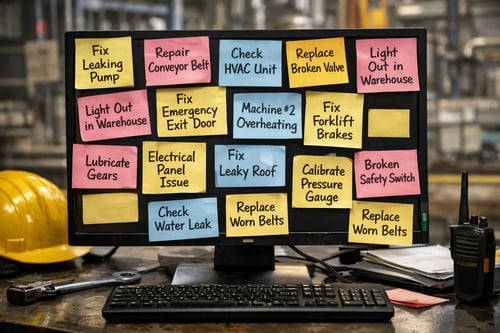
What BOMS Maintenance Solves
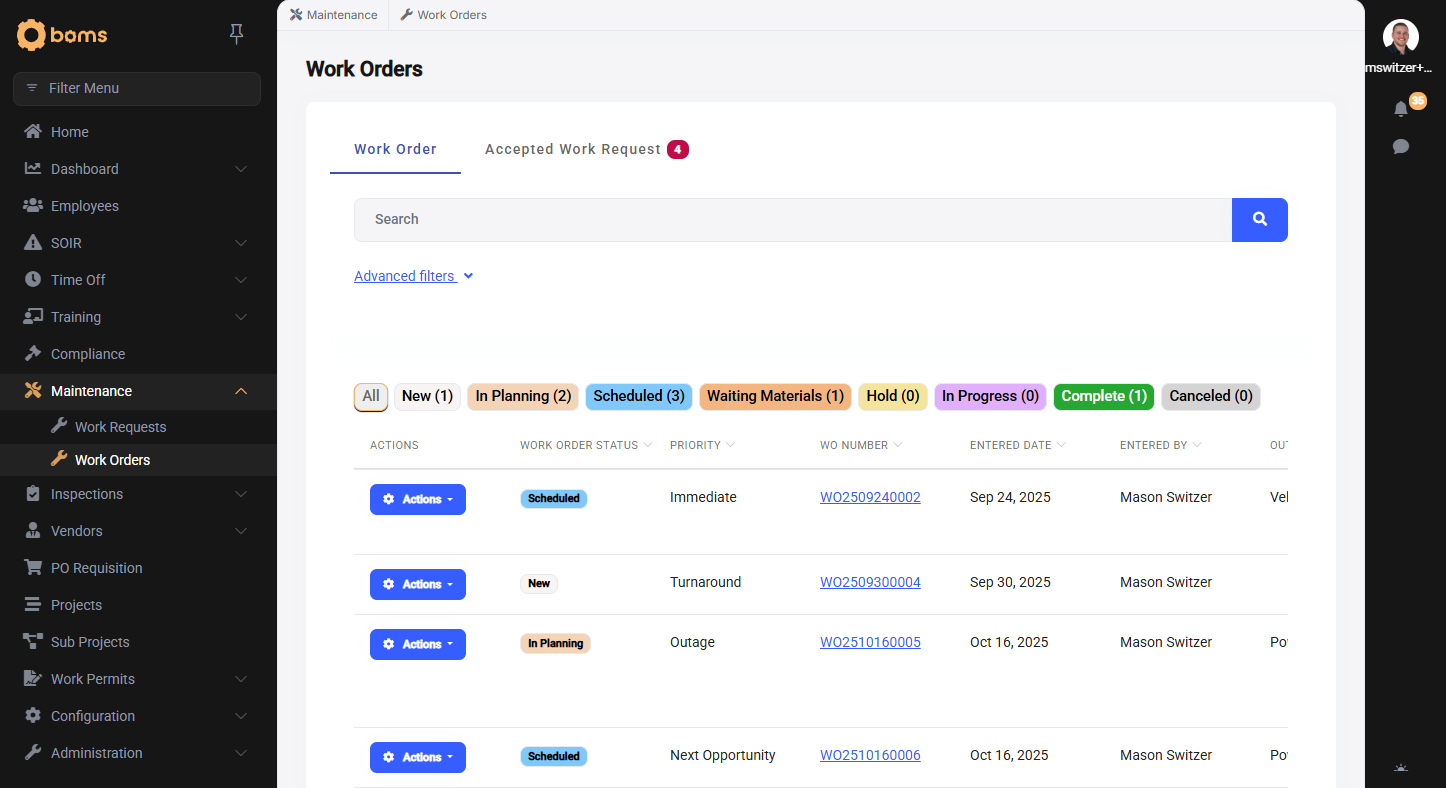
BOMS gives you one structured system to submit, review, approve, assign, and track maintenance work, from start to finish.
-
Every request lives in one place.
-
Every update is logged.
-
Every piece of equipment has a clear history.
No guessing. No chasing people down. No lost information.
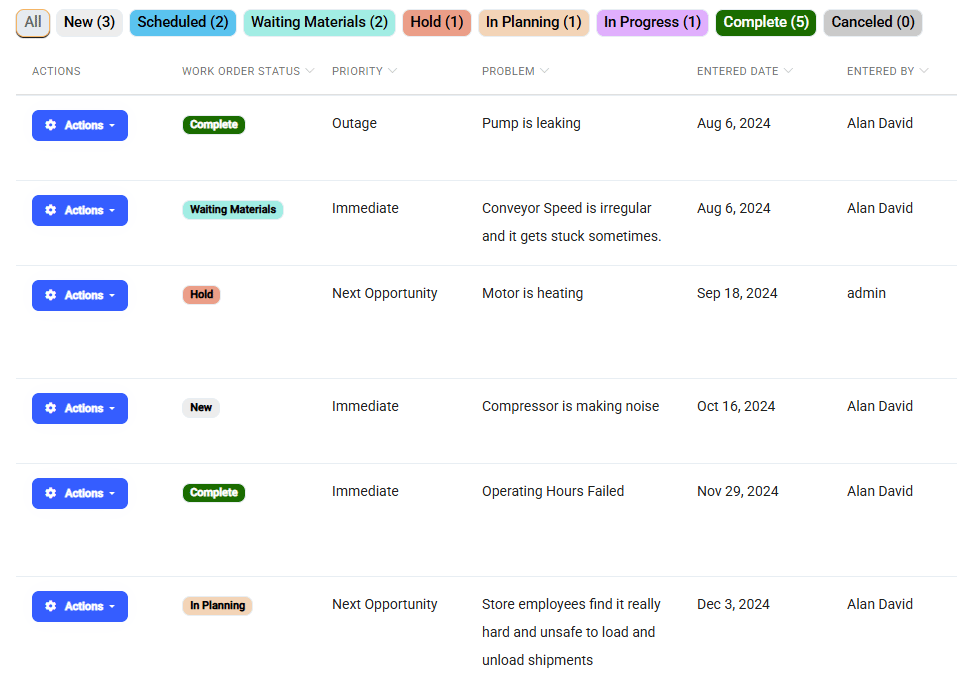
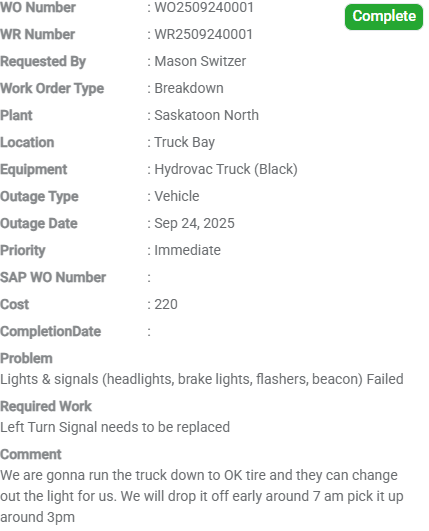
Full Visibility From Submission to Completion
When a maintenance request is submitted, it doesn’t disappear into someone’s inbox.
You can:
- Review and approve or deny requests
- Assign work to the right person
- Set priority levels
- Add notes, attachments, and updates
- Track progress in real time
Every change is logged, creating a complete audit trail of what happened, when, and by whom.
Built for Real Operational Environments
Tie work orders directly to specific machines, vehicles, or assets.
Automatically notify the right people when requests are submitted, approved, updated, or completed.
Control what gets worked on and when, based on operational priorities.
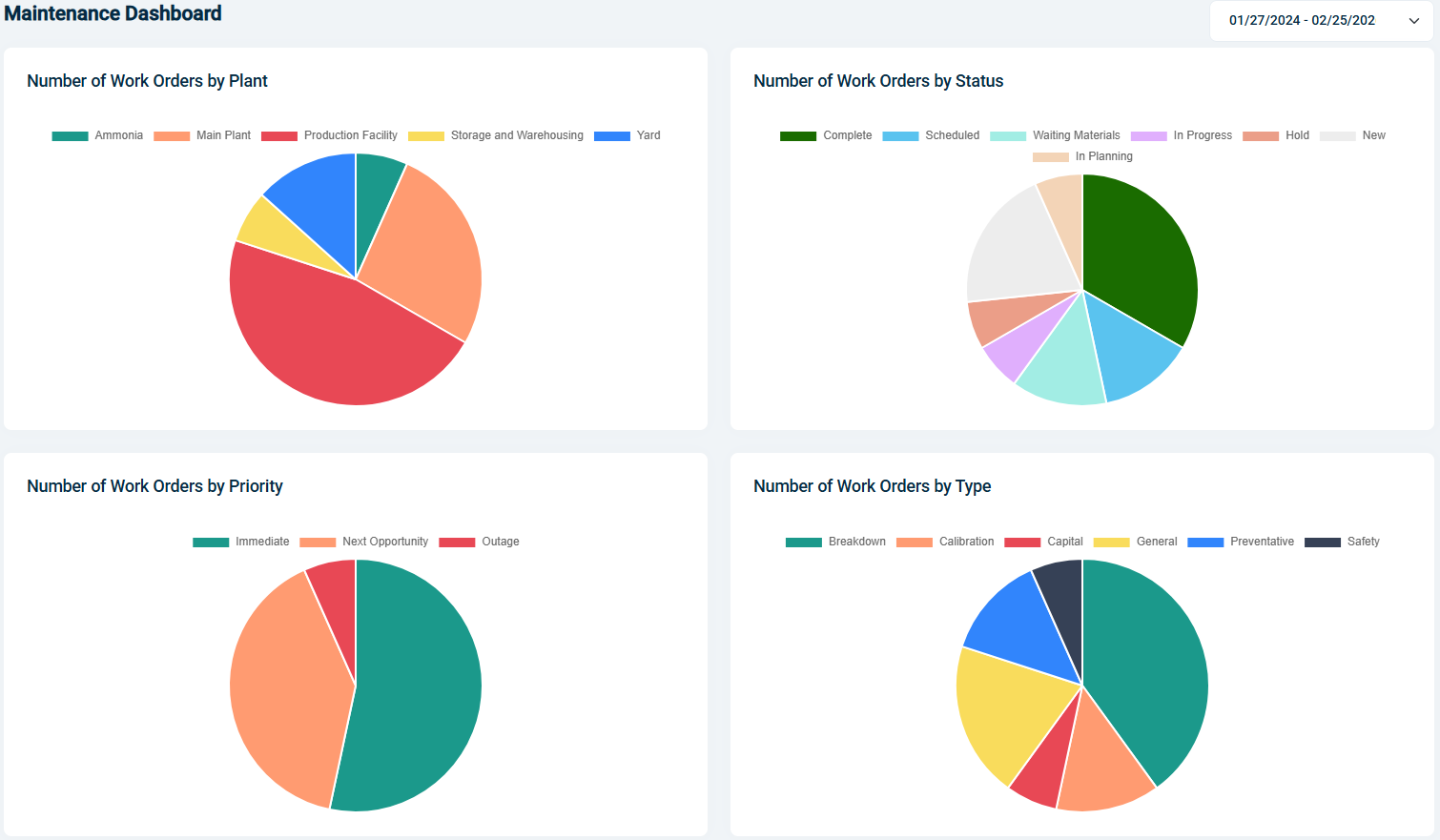
See recurring issues, downtime patterns, and repair history at a glance.
Prioritize What Matters Most
Not all maintenance requests carry the same urgency.
BOMS allows you to review incoming work orders, approve or deny them, and prioritize based on operational impact.
That means:
- Critical repairs move to the top
- Low-priority requests don’t interrupt workflow
- Leadership retains oversight
This structure reduces reactive chaos and creates intentional planning
Connected When You Need It.
Maintenance works powerfully on its own, but it becomes even more efficient when paired with other BOMS modules.
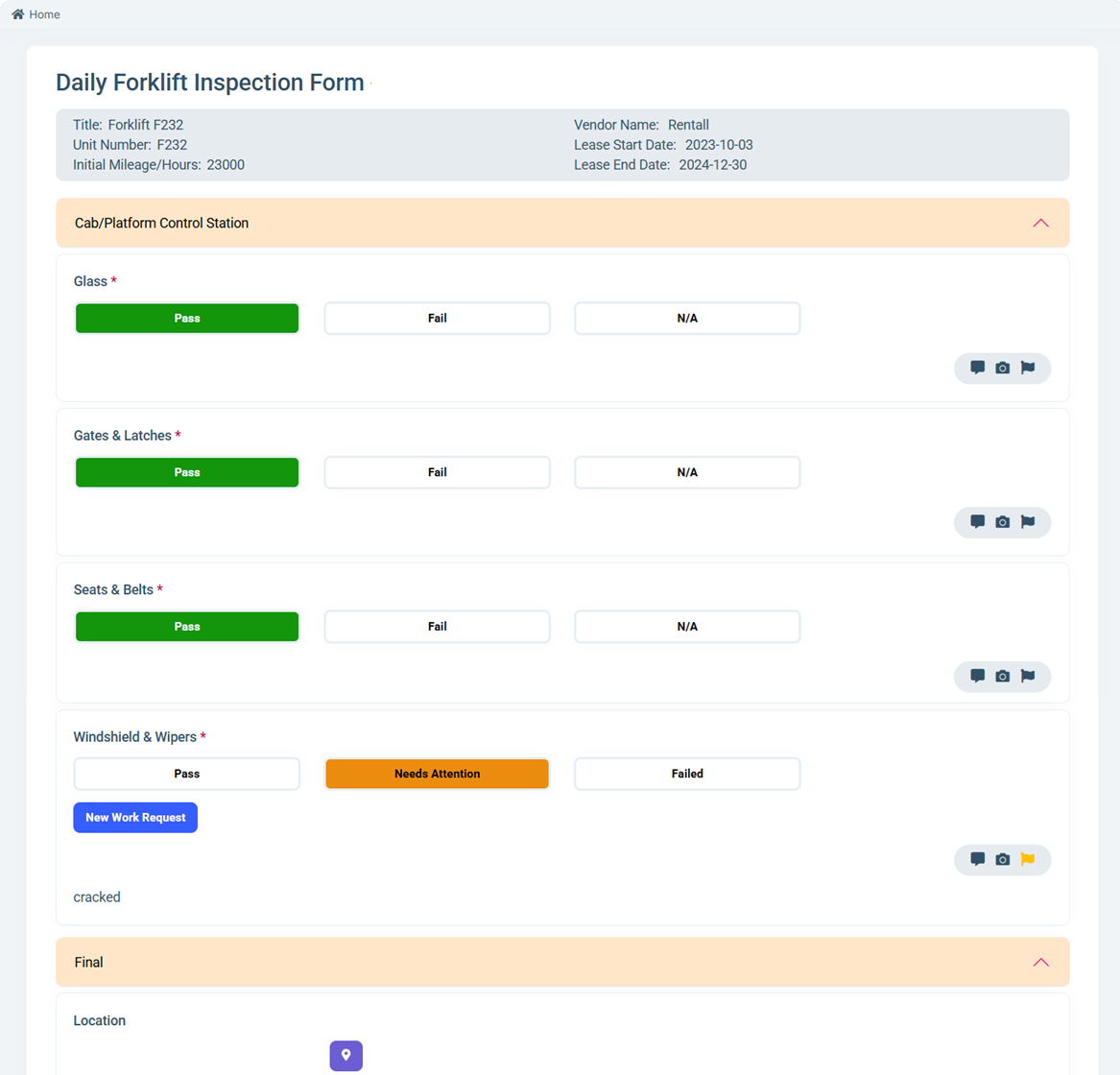
If an inspection fails or an equipment goes down, a maintenance request can be generated immediately.
If an incident report requires maintenance work, it can link directly to a work order.
The system is built to communicate across modules to keep all your team members on the same page.
You can run Maintenance independently or as part of a fully connected operational platform.
Take Control of Your Maintenance
Replace emails, sticky notes, and manual tracking with one clear, accountable system.
Maintenance FAQs
Can maintenance requests be submitted from mobile?
Yes. Maintenance requests can be submitted from desktop, tablet, or through the BOMs mobile app. Teams can log issues in real time without needing to return to a computer.
Can we control who approves or assigns work orders?
Yes. You can configure approval workflows so requests are reviewed, approved, denied, or prioritized before work begins. Assignments can be directed to specific users or teams.
Can maintenance requests be linked to equipment or vehicles?
Absolutely. Each request can be tied directly to a specific unit, vehicle, asset, or location. This creates a clear service history and improves long-term visibility.
What happens when an inspection fails?
If you're using Inspections alongside Maintenance, failed inspection items can generate a maintenance request instantly. The system connects the two automatically, creating clear traceability.
Does the system send notifications?
Yes. Email notifications can be configured for new requests, status changes, approvals, and completions so the right people stay informed throughout the process.
Can we track overdue or incomplete work?
Yes. Dashboards provide visibility into open, in-progress, overdue, and completed work orders so nothing gets lost or forgotten.