Training built around roles, requirements, and competency


Track employee training, manage certifications, and always know who is qualified to do the work.
Screenshot 2025-02-27 002734

Knowing training exists isn’t the same as knowing your people are qualified

Managing certifications, training records, and role requirements sounds simple, until you’re the one responsible for keeping it organized.

The real challenge is maintaining clear visibility.

  • Tracking certification dates
  • Managing expirations and renewals
  • Understanding who is qualified for which role
  • Keeping up with retraining across multi skilled employees

When records live in spreadsheets, shared drives, or disconnected systems, it becomes difficult to answer simple operational questions:

  • Who is fully qualified for this role?
  • Who is coming up for renewal?
  • Where are the gaps?

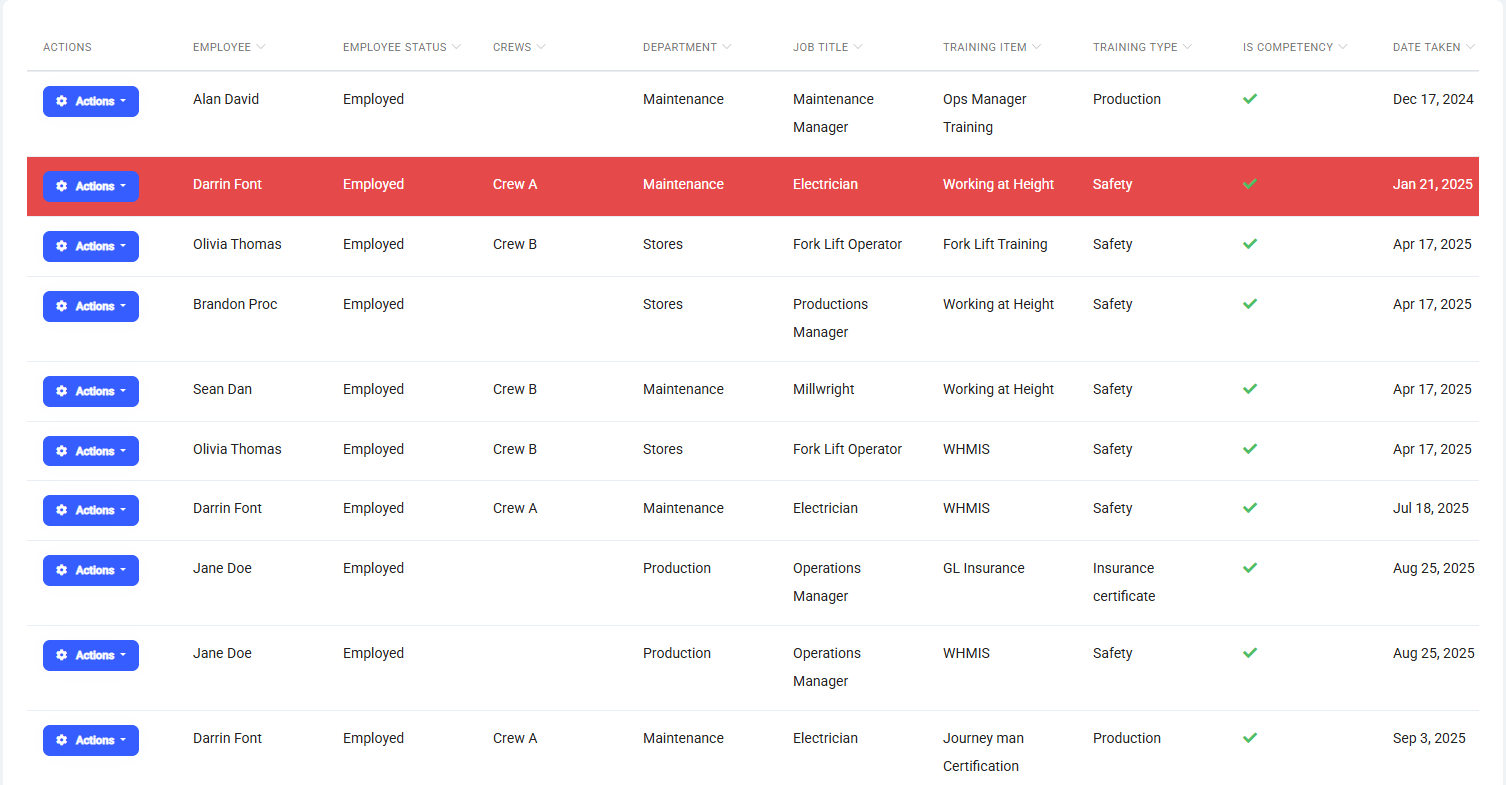
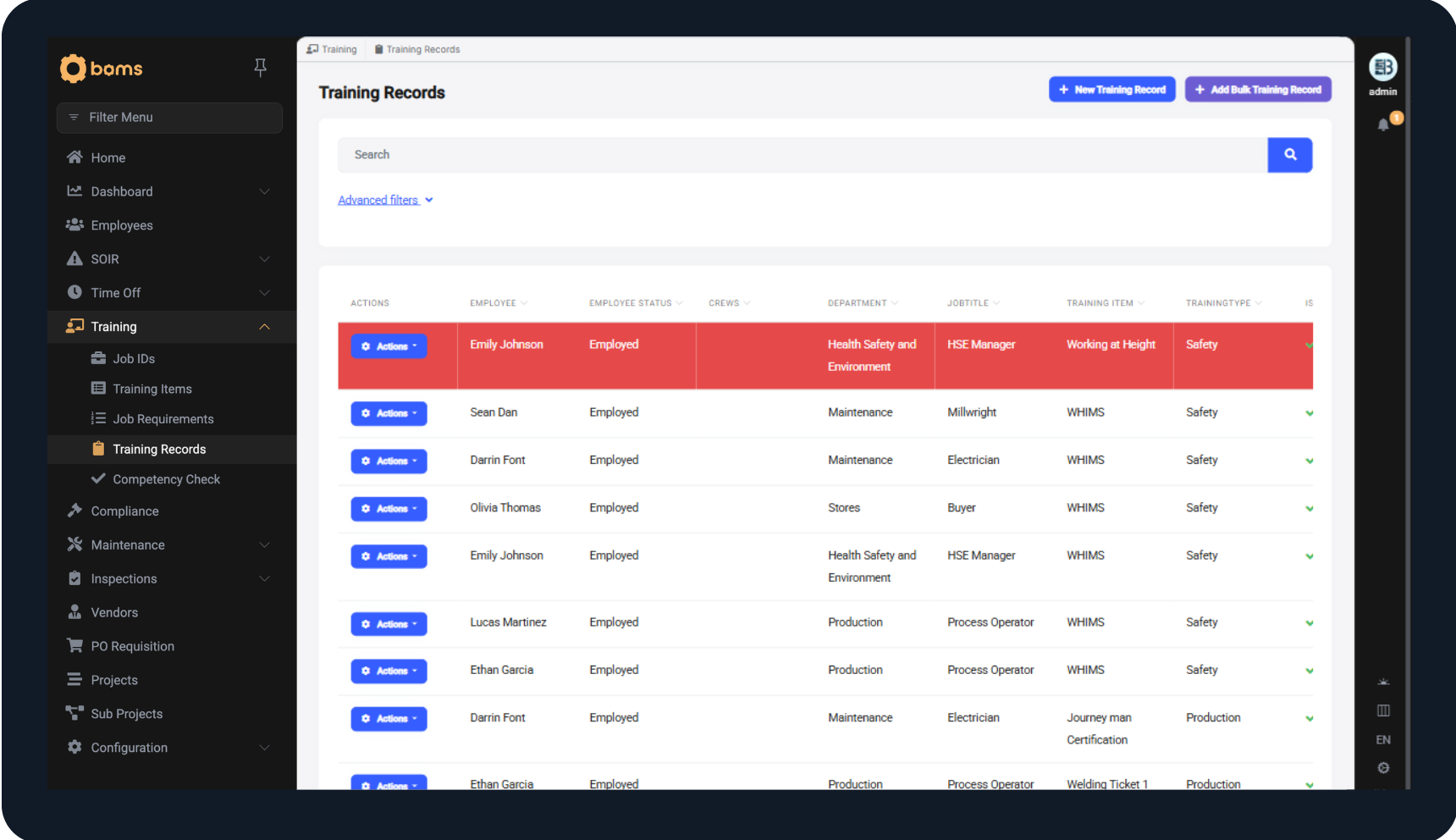
Centralized training records

Maintain a complete, up-to-date record of employee certifications and required training.

See:

  • What each employee holds
  • When it expires
  • What is missing

Automated email notifications alert employees and supervisors before certifications lapse, helping you stay ahead instead of reacting late.

Supervisors and management can quickly view an employee’s full qualification profile in one place.

Training Records
Training Items-1

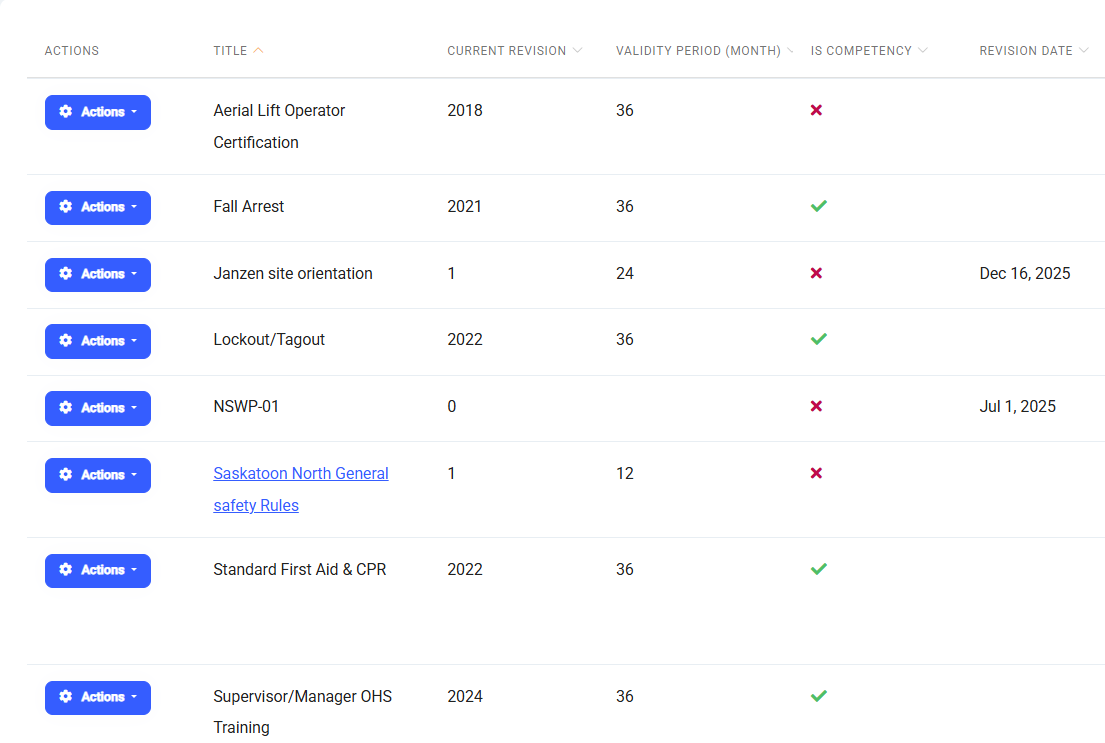
Training items 

Manage all required training in one structured system with version control.

This includes:

  • Trade certifications
  • Safety tickets
  • Site-specific requirements
  • Equipment training
  • Internal or mandatory programs

Each training item is clearly defined and assigned as required, giving you structured oversight instead of scattered documentation.

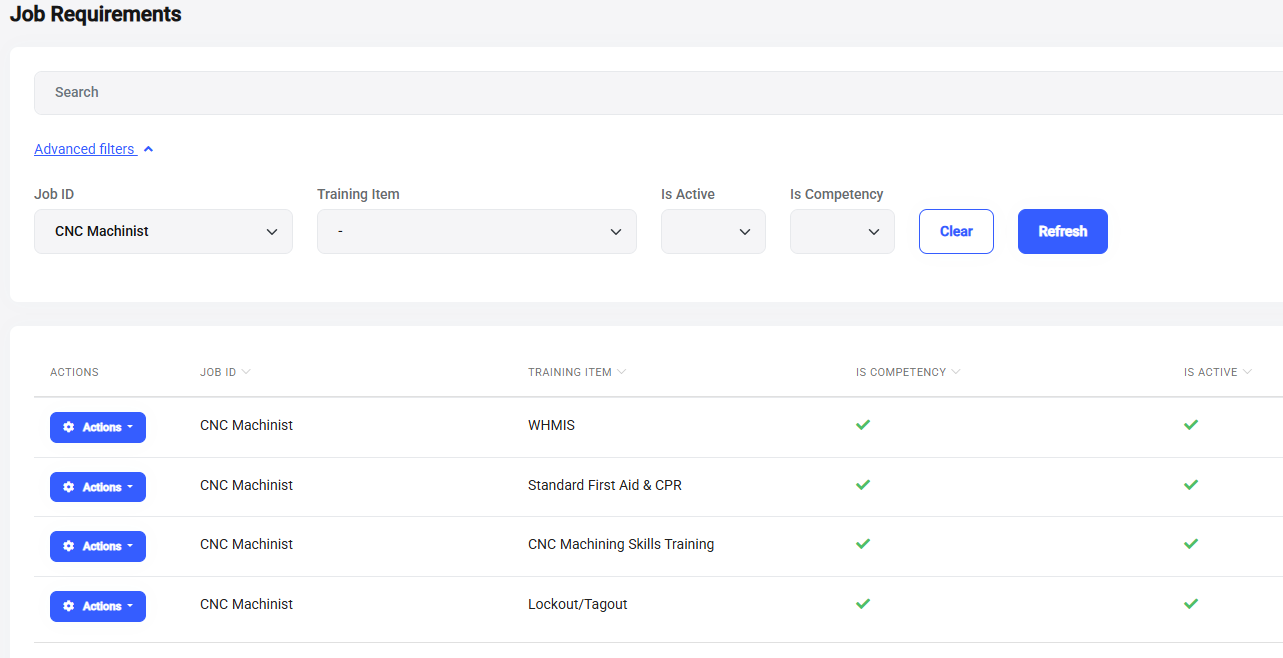
Define job requirements. See who meets them.

Establish clear requirements for every role in your organization.


The system automatically evaluates employees against these requirements and identifies:

  • Fully qualified
  • Partially qualified
  • Missing requirements

You can view qualification status by employee or by role — making assignments and coverage decisions straightforward.

Job requirements
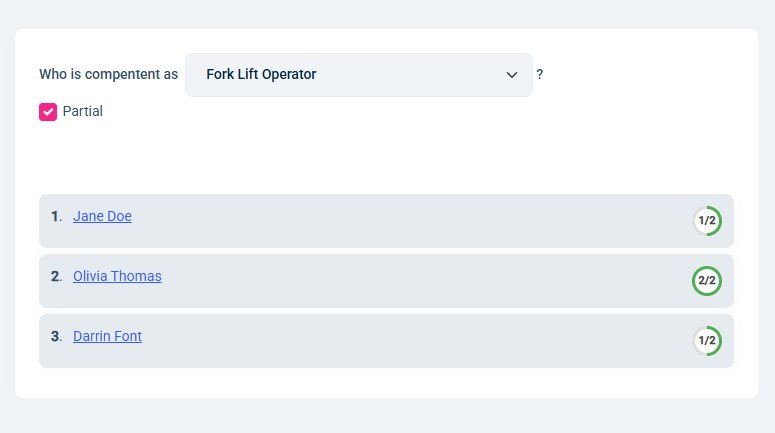
Competency Check View

Competency visibility

Training records tell you what someone has completed.
Competency shows you what they are qualified to do.

BOMS automatically evaluates employees against defined job requirements and shows:

  • Who is fully qualified for a role
  • Who is partially qualified
  • What specific training is missing
  • When expirations affect qualification status

Supervisors can filter by job role and instantly see who is ready to be assigned,  without digging through files or spreadsheets.


The operational impact

When training records, job requirements, and competency checks are aligned:

  • Expirations are caught before they cause delays
  • Supervisors can assign work with confidence
  • Audit preparation becomes significantly easier
  • Gaps are visible before they become safety or compliance issues
  • Time spent verifying qualifications is reduced

The result is simple:

Clear visibility that drives confident and compliant workforce

W001-manufacturing-22-11-1

Know Exactly Who’s Qualified — At Any Time

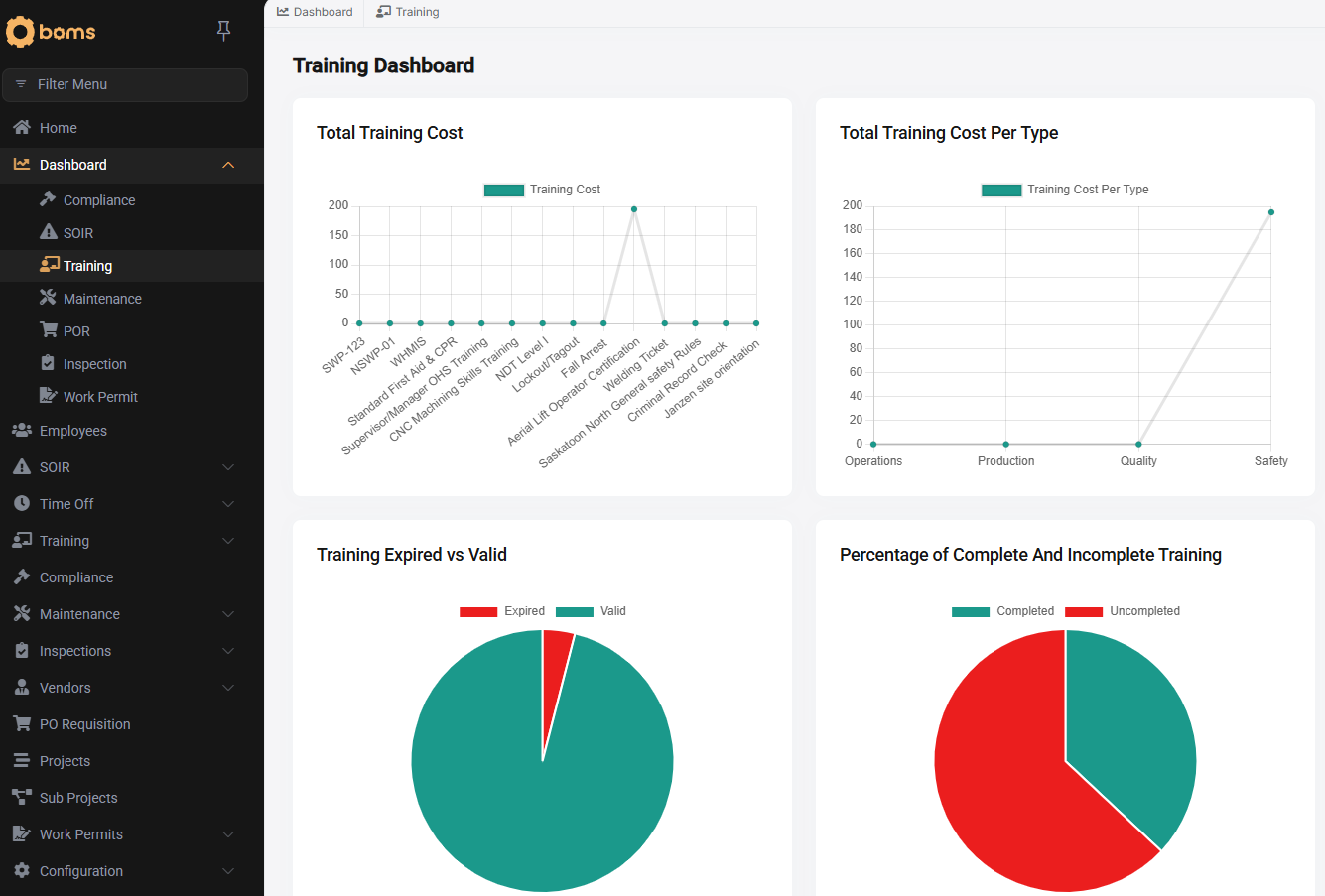
Bring structure to training records, certification tracking, and competency management.
Dashbopard-1

How does BOMS track certifications and expiry dates?

 Each training item includes an expiration date and renewal cycle. Automated email notifications alert employees and supervisors before expiry. 

Can I see who is qualified for a specific role?

Yes. Roles are tied to required certifications and training. You can instantly see who is fully qualified, partially qualified, or missing requirements.

Can I identify what someone is missing to qualify for a role?

Yes. You can filter by role and view exactly which certifications or training items are incomplete for each employee.

Does this replace spreadsheets?

Yes. Training records, expirations, and qualification status are centralized into one structured system instead of being managed across disconnected files.